
Here I am again visiting the weird magical Pythonland. I will try and probably fail miserably, to publish shorter posts and more frequently.
Going through the course at Launch School has been a bit weird. I’m having difficulty finding my pace and a balance between not feeling bored studying very basic concepts and really wanting to take their approach to mastery very seriously. Their pedagogy was the whole reason why I enrolled in this course.
But I am getting there. And, from time to time, even while going through the basic lessons, I come across something that is completely new to me, like the concept I’ll talk about in this post.
So, learning Kotlin as my first programming language I was not introduced to this, in my opinion VERY weird, concept of truthy or falsy. In Kotlin you need to use expressions that evaluate as a Boolean, meaning something has to evaluate as either being True or False. Which, to me, makes sense and helps avoid errors.
But we are not here to talk about Kotlin, are we?
First let’s talk a bit about Booleans and the whole True or False situation.
In Computer Science, Boolean is a data type that has one of two possible values (usually true or false) which is intended to represent the two truth values of logic and Boolean Algebra.
In the realm of logic and mathematics, a truth value or, at times, a logical value, denotes a value that signifies the relationship of a proposition to truth. In classical logic, there exist only two conceivable values. Something is either true or it is not true.
So, when we are talking about programming languages that have a built-in Boolean data type you have some operations that are defined to return a boolean value.
10 == 10 (True)
10 > 12 (False)
And this is absolutely vital when you are writing code. This help us to create conditional logic, control the flow of a program, understand the state of an object, etc.
The two examples above are pretty straightforward, right? In the first one, you are comparing if 10 is equal to 10 (remember that for most languages, one equal sign means you are assigning a value to a variable while the double equal signs mean you want to determine equality). Since 10 is equal to 10 it returns the Boolean value True.
The second example we try to determine if 10 is greater than 12. It returns false because, at least in this dimension, 12 is greater than 10.
There are also the logical AND (&& in some languages) and OR ( || in some languages) that is a binary operator. It evaluates an expression that contains two subexpressions, one to the right of the operator and one to the left.
So the and (or &&) operator works like this:
expression_a and expression_b This will only evaluate to true if both sides are true.
10 > 6 and 3 == 3 # True
10 > 13 and 3 == 3 # False
The or ( || ) operator needs only one side to be true:
expression_a or expression_b This will evaluate true if either side is true.
10 > 55 or 3 == 3 # True
10 < 5 or 3 == 4 # False
Note you can chain as many sub-expressions as you need.
 if 10 > 12 and 10% 2 == 0 and 999 == 999:
    print('This is true')
else:
    print('This is false)
The code above will output This is false because 10 is not greater than 12.
Also, another thing to note is the order of precedence. You can use parentheses to organize the code, and it’s actually good practice to use them, but Python’s precedence rules handle the comparison operators like < and > with higher precedence than logical operators like and or or.
💁♀️ This was supposed to be a short post! 🤣
Short-circuit
Another interesting thing is the concept of short-circuit.
In some languages, Python included, when you are using logical operators, the sub-expressions won’t be evaluated once the the final value of the expression can be determined.
So, for example, when you are using an and logical operator, where both sub-expressions need to evaluate to true, if the first one is false, Python will stop there and won’t even care if the second sub-expression would throw an error.
So, if you try the following:
print(True and len())It would return a TypeError: len() takes exactly one argument (0 given) Because len() takes one argument and I passed nada!
BUT the following code would not return an error. It would instead return False:
print(False and len())
Because it needs both sub-expressions to be true, since the first one is false, it ignores the rest and would not even get there to evaluate len() and throw the error.
Is it safe? Probably not. Would I rely on that 100%? Hell no. But, it’s an interesting approach.
Truthiness
In Python, almost everything is evaluated as true. The only exceptions are the following:
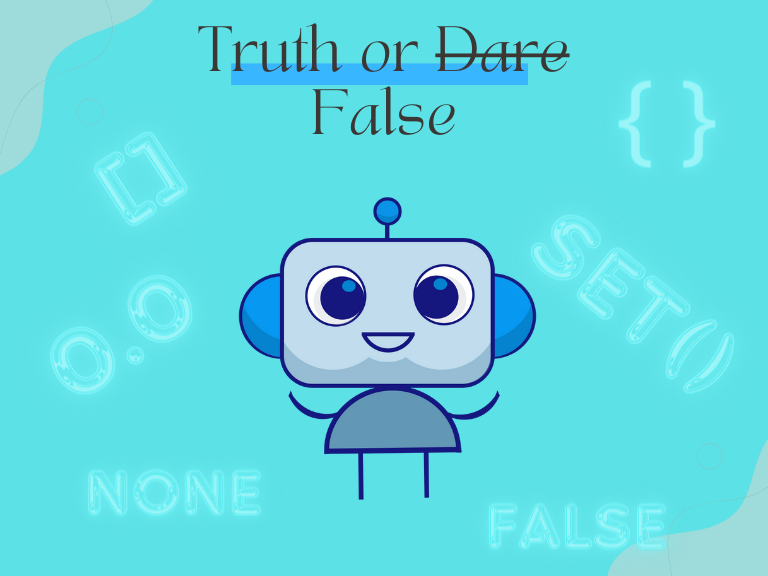
FalseNone00.00j""{}[]()set()frozenset()range(0)
The values above evaluate as false (falsy). Everything else evaluate as true (truthy).
This allows you to write this kind of thing:
my_list = [1, 2, 3]
if my_list:
   print('Valid')
else:
   print('error!)
The code above would output Valid. Which sounds incomplete to me. If my_list what? Well, my_list can be anything other than an empty list and that would behave in the conditional statement as if it was True, but it’s not actually true in the boolean sense of true. It’s a truthy value. It’s just saying if my_list is not empty.
if my_list were to be my_list = [] then it would result in the else branch of the conditional statement and output error!
That said, is worth remembering that my_list == True (the Boolean value) would output False because this is not a boolean True.
In practical terms, this can be used for example to check if a variable has a value. So, the most common application would be something like:
If variable:
  do something
BUT, the weird part is, for example, if we are dealing with an integer, 0 (zero) is still a value, 0 is not the same as nill/null/none, but Python would not see it as a value in this case.
If I’m using truthiness to check if the variable num has a value and it does, but it’s 0 the code will evaluate it as false and that might throw your whole logic off.
So, again, it does not make 100% sense and we need to be careful when using truthiness in these cases to avoid creating bugs.